Best experienced on desktop
Homelit
Homelit
Next.js 14
Tailwind CSS
Framer Motion
WebGL (OGL)
HOMELIT — E-COMMERCE PLATFORM

Brilliant Gadgets
for a Brighter Home.

A dark-first e-commerce storefront — bilingual, animated, and built for the modern home.

DESIGN LANGUAGE

Color. Type. Principles.

Background
#0a0a0f
Primary — Electric Orange
#FF9900
Surface / Card
#27272a
Muted Text
#9ca3af
Primary Typeface
Aa
DM Sans
Light · Regular · Medium · SemiBold · Bold · ExtraBold
Arabic Typeface
أب
Noto Kufi Arabic
خفيف · عادي · شبه غامق · غامق
Dark-first. RTL-native. Zero compromise.
Design Principles
1
Glass Morphism First
Every card, panel, and drawer uses translucent glass — creating layered depth without visual weight. Nothing is opaque unless it earns it.
2
Orange as Signal
Primary accent reserved exclusively for CTAs, active states, and sale badges — never decorative. Orange means act now throughout the entire UI.
3
Bilingual by Architecture
The Arabic layout wasn't bolted on after the fact — it's built into every component from the start. One tap flips the entire interface simultaneously, with nothing patched or overridden.
23
Products
5
Collections
2
Languages
Scroll depth
COLLECTIONS PAGE

Five Worlds of Home.

Hover any collection and it breathes open — neighboring panels dim and step aside, and the content reveals itself with a quiet fade.
01
Flex Expansion
Each panel expands proportionally — the layout decides its own width. No hard-coded pixel values, no snapping.
02
Neighbor Dimming
Panels out of focus blur and dim at the same time — the hovered collection always commands the eye, without any manual effort from the user.
03
Text Reveal
The collection name and description fade in from below when the panel opens — and vanish cleanly when it closes, with no visual residue.
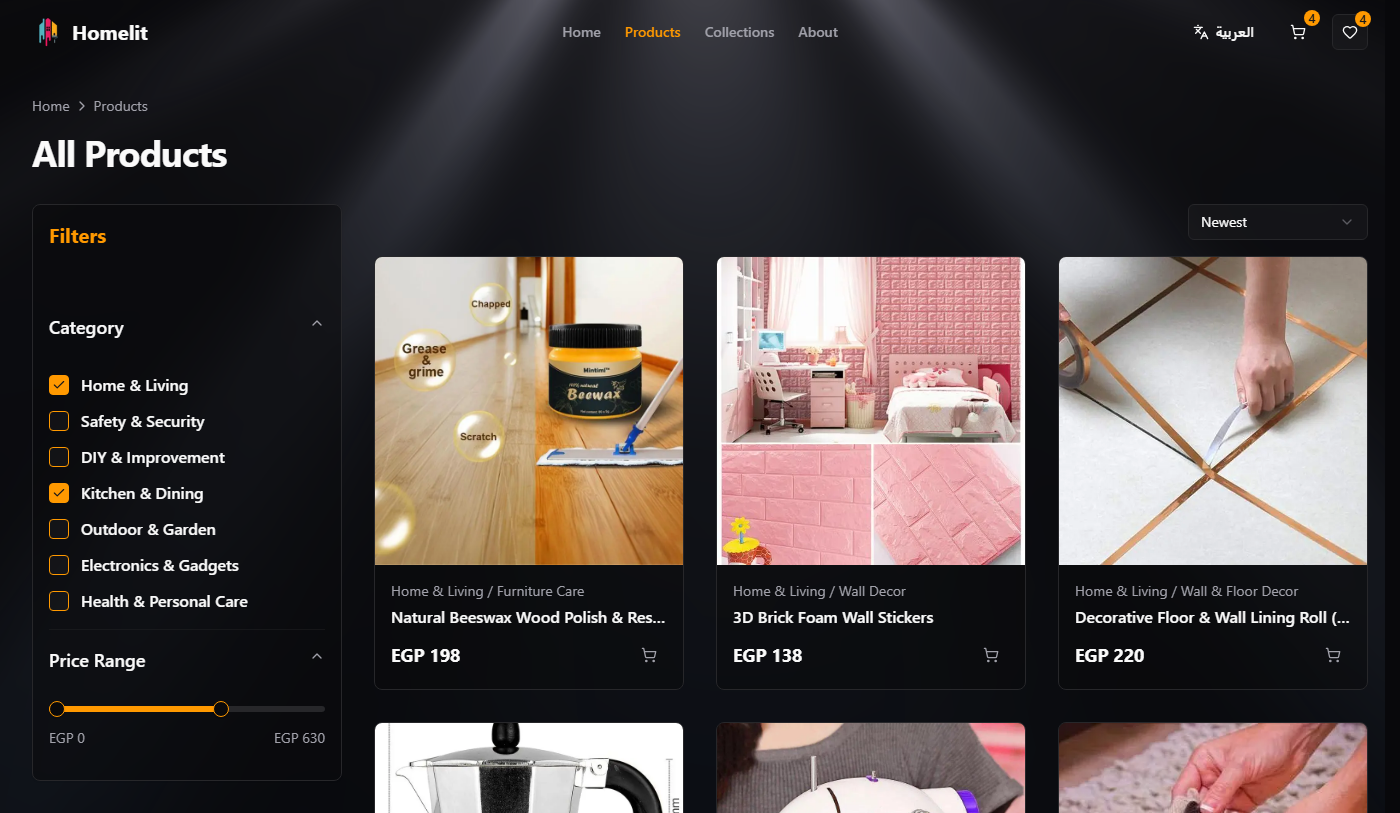
PRODUCT LISTING PAGE

Filtered Browse & Discovery.

PRODUCT CARDS

Intelligent Hover System.

Three interaction layers activate the moment a cursor enters the card — each designed to help customers evaluate products without leaving the listing page.
01
Image Slideshow
The moment you hover, product images begin cycling automatically — every 1.2 seconds, each angle in sequence. Move the cursor away and it stops cleanly.
02
Video Priority
Products with a demo video show it first — playing automatically and silently. Still images are a fallback, not the default.
03
Action Revelation
On desktop, Quick View and Wishlist reveal themselves on hover. On mobile, they're always visible. Either way — no buttons popping in and pushing content around.
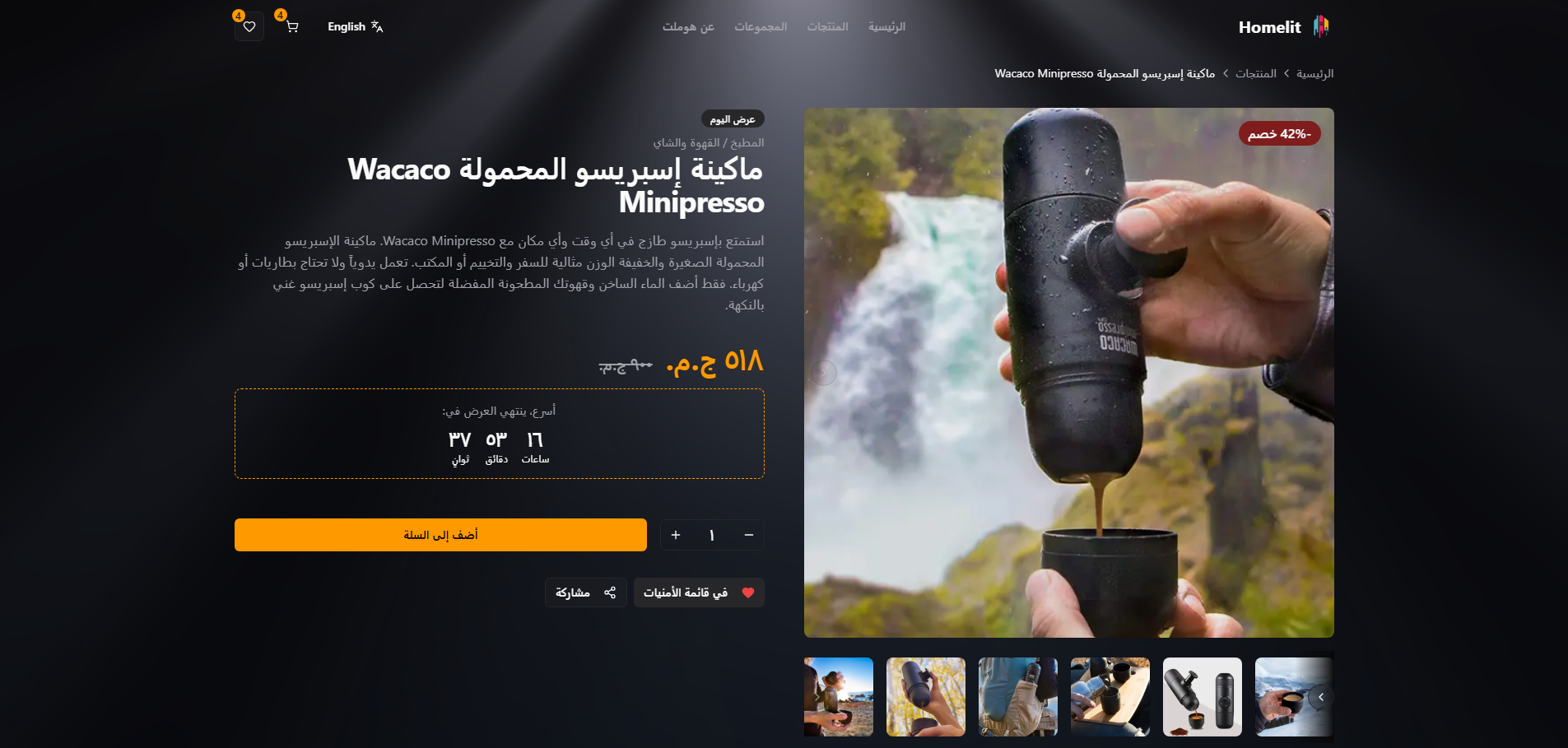
PRODUCT DETAIL PAGE

The Full Purchase Journey.

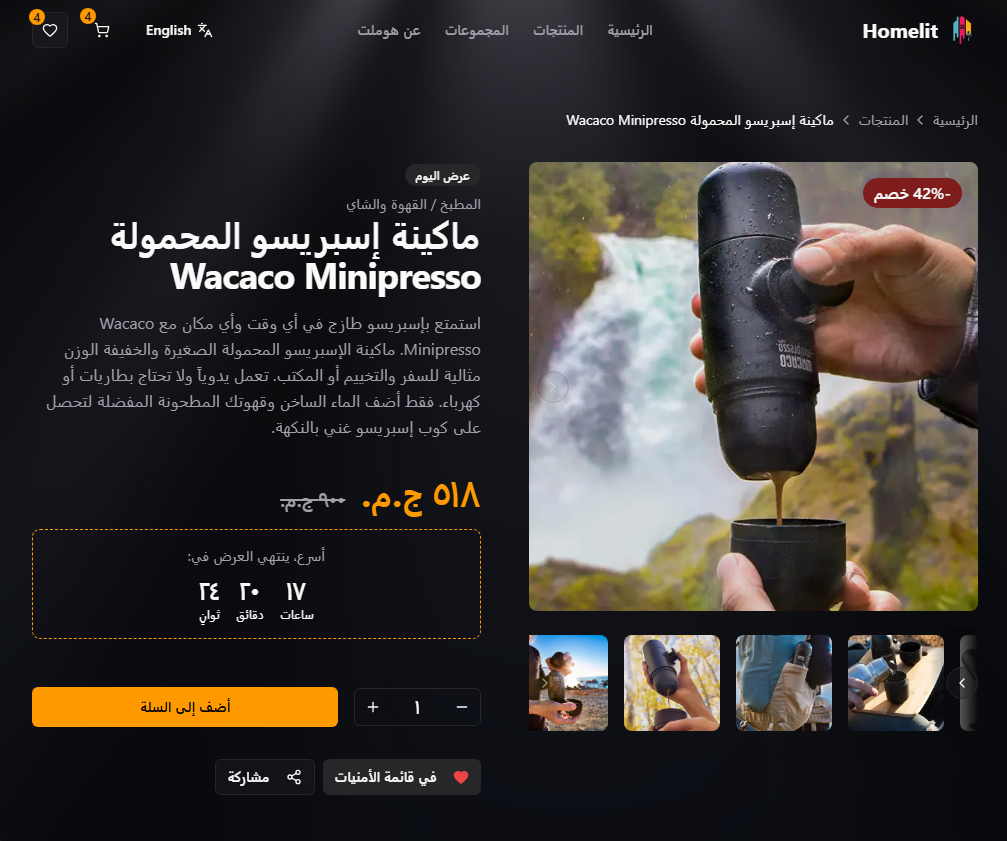
A full-screen image gallery with synchronized thumbnail navigation — scroll direction flips automatically in Arabic.
QUICK VIEW

Zero-Friction Add to Cart.

The full add-to-cart flow — variant selection, quantity control, confirmation — all inside a Dialog. No page load. No scroll position lost.

2
clicks to cart
From product grid to cart via Quick View with variant selection
0
page loads
The entire flow happens in a floating panel — scroll position is preserved
variants supported
Every variant shows its own price — resolved in real time, with no page refresh
CART & WISHLIST

The Drawer System.

Cart and Wishlist drawers always slide in from the right — even in Arabic. The navigation and layout flip for each language; the drawers stay consistent. Predictable by design.

SAME IN ALL LANGUAGES
Cart and Wishlist drawers always open from the right
3
CartDrawer
Always slides from the right — consistent in English and Arabic
Wide panel — fast to open, smooth to close
Line items: image + name + variant + quantity stepper + price
Subtotal + orange "Proceed to Checkout" CTA fixed at bottom
2
WishlistDrawer
Same drawer system — also always opens from the right
Product rows: image + name + price + remove button
Saves automatically — your wishlist is still there after a refresh or language switch
"Move to Cart" always picks the right variant for your current language
BILINGUAL ARCHITECTURE

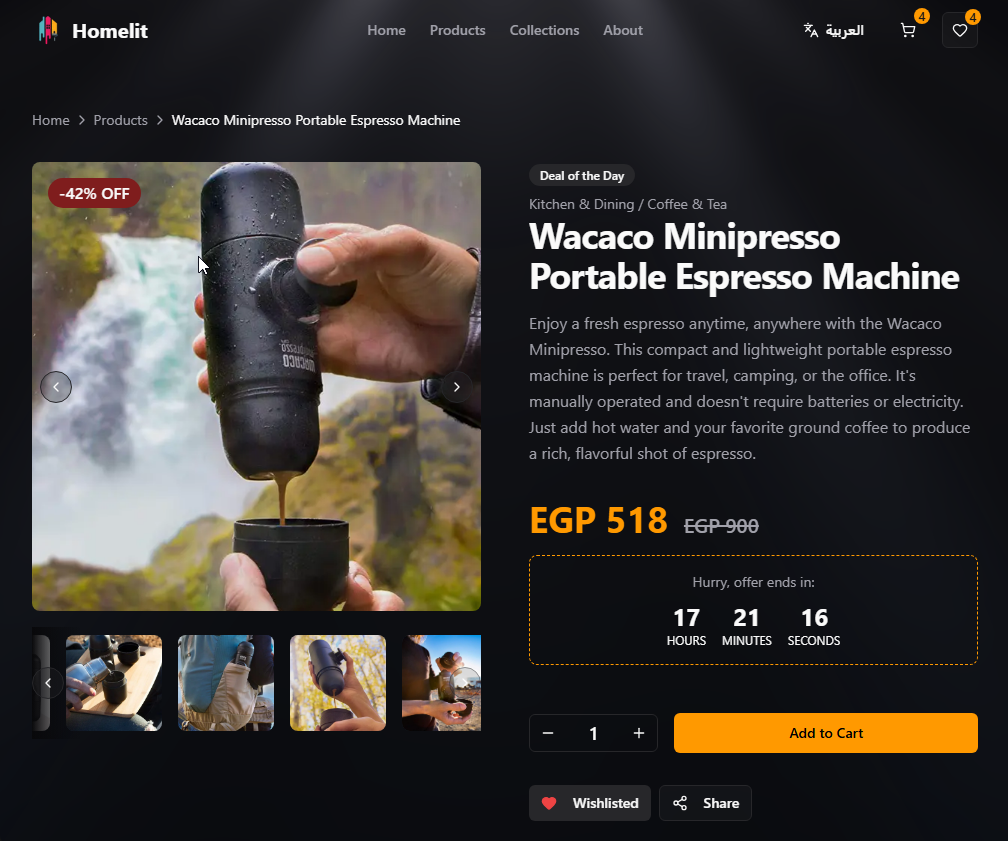
Same UI. Both Directions.

A custom lightweight i18n system — no external library. Cookie-based language switching flips the entire interface from LTR English to RTL Arabic in under 300ms.

LTR · English
عربي · RTL
1
Logical Properties
Every spacing and alignment rule works in both directions — the same styles power both the English and Arabic layouts, with nothing duplicated or overridden.
2
Embla RTL
The image gallery and collection carousel both flip their swipe direction in Arabic — right becomes left, and the interaction still feels completely natural.
3
Drawer Direction
The mobile menu opens from the correct side for each language — left for English, right for Arabic. Only the navigation adapts; Cart and Wishlist are always on the right, regardless of locale.
RESPONSIVE DESIGN

Every screen. Both directions.

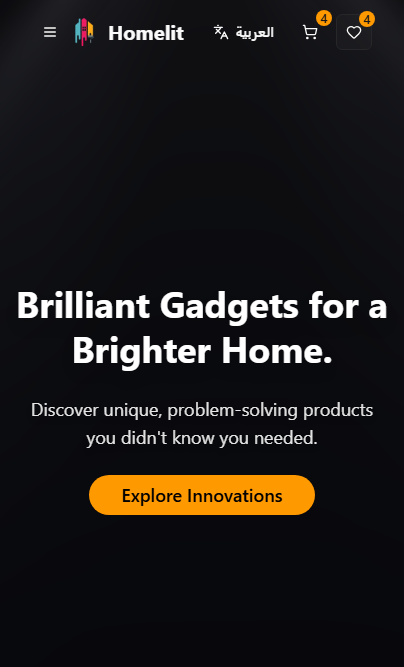
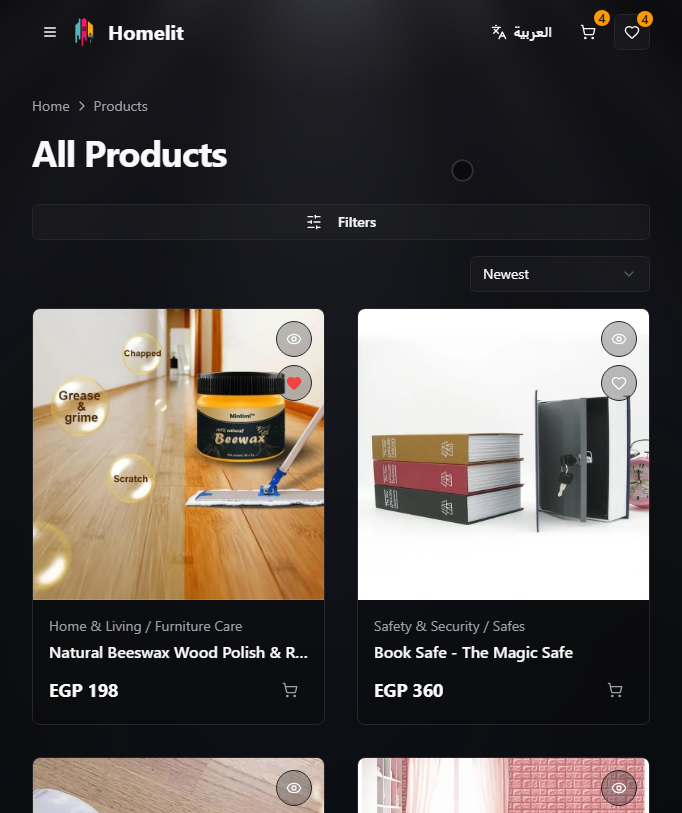
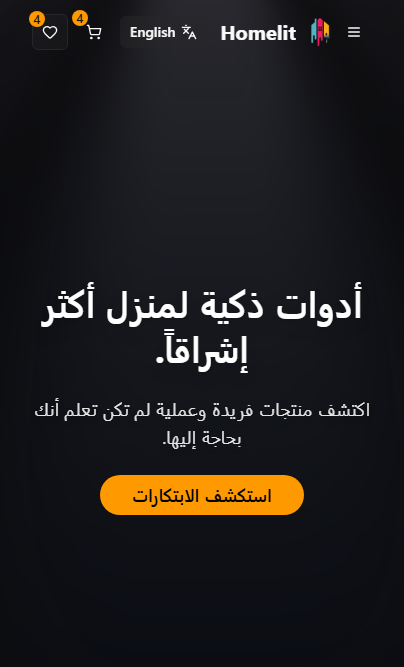
Desktop, tablet, and phone — in English and Arabic. One codebase adapts to every screen without maintaining separate layouts for each language.

Mobile · LTR · Homepage
Mobile · LTR · Product Grid
موبايل · RTL · الصفحة الرئيسية
EXPERIENCE DESIGN

Every Detail, Deliberate.

Six interaction moments that set Homelit apart — each one designed to reduce friction, reward curiosity, and feel effortless.

Cinematic Hero
A custom light ray effect powers the homepage — beams shift and breathe in real time, built from scratch without any pre-made animation library.
Accordion Collections
Hover any collection to expand it full-width. Neighboring panels dim and blur, keeping the focus where it belongs — no clicks, no page loads.
Hover-Powered Cards
Hover a product and its images start cycling automatically. Quick-view and wishlist actions appear in place — no click needed to start evaluating.
One-Motion Checkout
From browsing to cart in two clicks — a floating panel handles variant selection, quantity, and confirmation without ever loading a new page.
Instant Language Switch
One tap switches the entire storefront from English to Arabic — layout direction, typography, and every UI element flip together in under 300ms.
Glass Morphism UI
Every card, drawer, and modal uses layered transparency and blur. The interface feels light even against the darkest background — depth without weight.
BUILT WITH

The right tools.
The right reasons.

Every technology was chosen for a specific reason — not just because it was popular.

Next.js 14
Performance-first framework
The page loads fast because the heavy lifting happens on the server — product data is fetched and ready before anything reaches the browser. Only the interactive parts (drawers, carousels, add-to-cart) run on the client. It's a deliberate split, not a default.
0
unnecessary JavaScript sent to
the browser for static pages
Fast by architecture — not just optimization.
Tailwind + shadcn/ui
Design system foundation
All buttons, drawers, and modals share a single source of truth for color and typography. Homelit's brand is applied once — and every component picks it up automatically. Changing the accent color takes one edit, not forty.
40+
UI components styled from
a single source file
Consistent by system — not by manually matching each component.
Framer Motion + OGL
Motion + custom WebGL
Two animation systems, each with one job. One handles every interface movement — panels opening, cards appearing, pages transitioning. The other powers the light ray effect on the homepage — a custom animation built from scratch, running at 60 frames per second.
60fps
custom light ray animation,
built without any pre-made effects
Custom where it matters. Proven tools where it doesn't.
Homelit logo
Homelit
هوم‌ليت

Dark-first. Bilingual by architecture.
Zero overrides. Built to last.
Visit Homelit
Next.js 14
Tailwind CSS
Framer Motion
shadcn/ui
OGL · WebGL
EN / عربي
E-Commerce Platform · 2024 · Next.js Full-Stack